What does it do?
When you ask Chord something, it will search the internet, makes judgments about what it has found, then gives you the answer. Quite similar to ChatGPT or Bing Sydney. What makes Chord different is it shows you the research process (an example: benefits of eating cucumbers).
By the way, I don’t think “search engine” is the best word to call Chord (but I’m not sure what else to call it either), as:
Chord doesn’t just display a list of URLs as Google does. Instead, Chord only shows you a handful of search results, along with its interpretation of those results. It’s like someone who does very basic desk research for you.
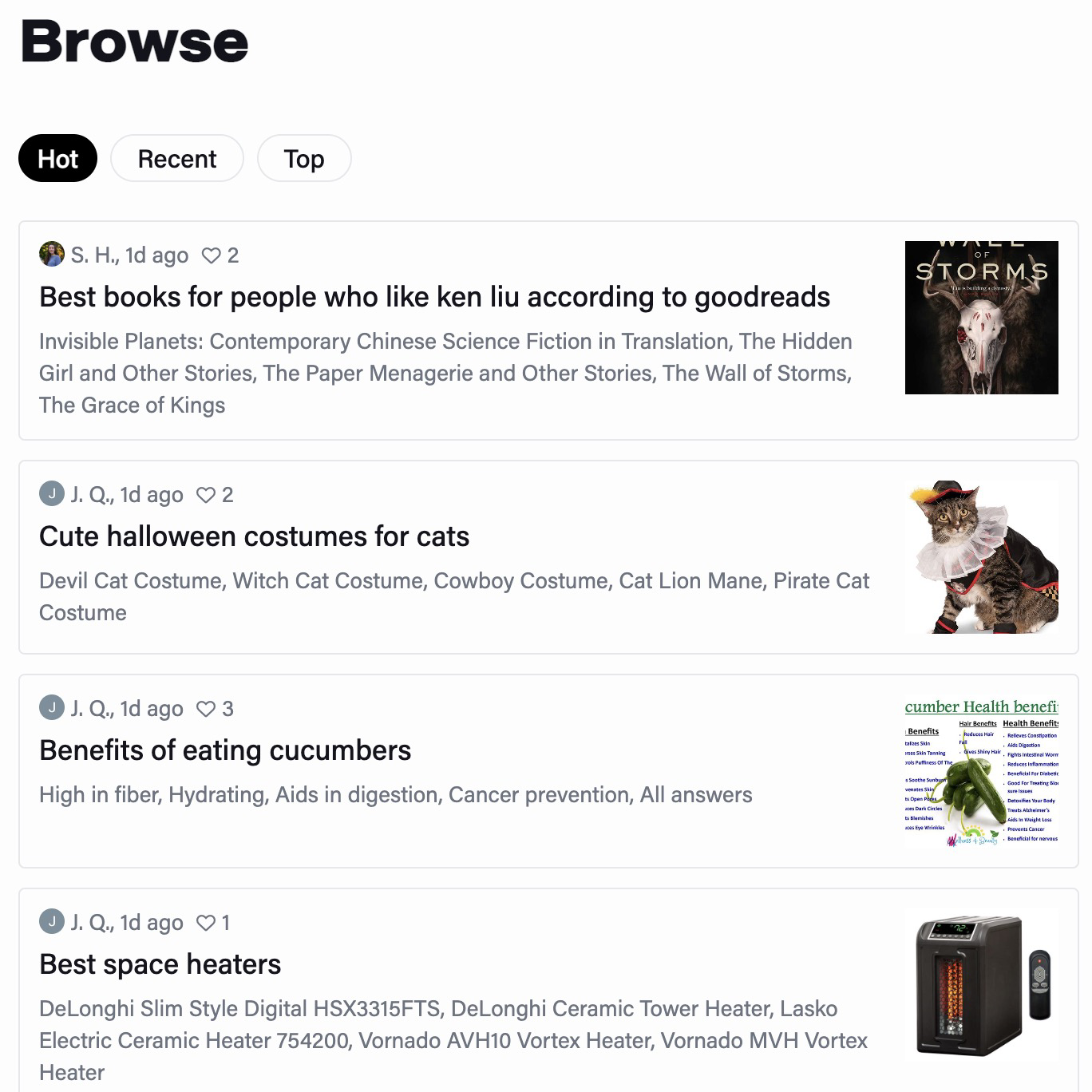
There is some social stuff within Chord. Users can upvote/downvote search results made by others.

Maybe there will be a comment feature in the future, that lets users discuss with each other?
My thoughts on Chord
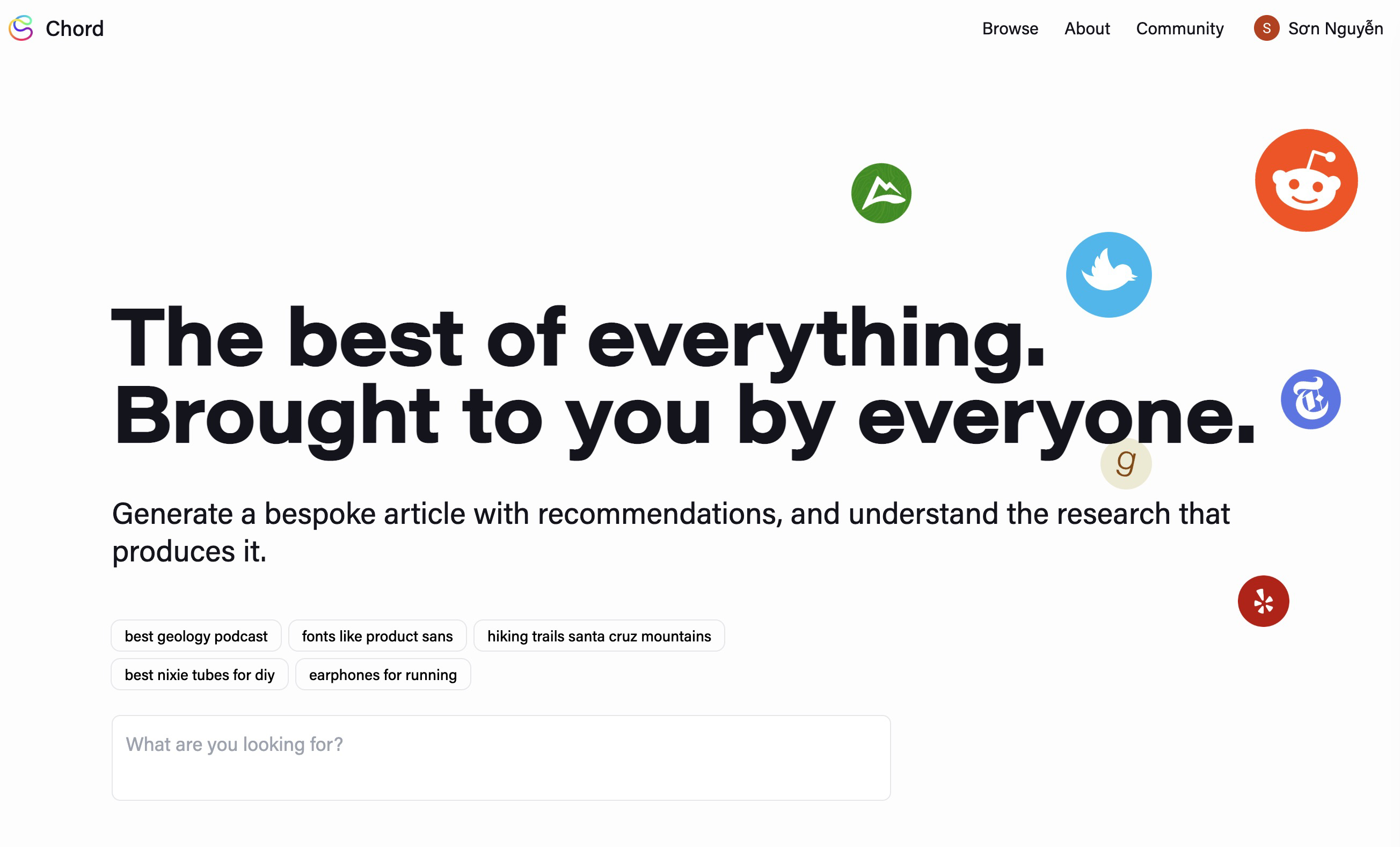
The landing page

- From Chord’s About page: “We want to know what real people think about things. Right now, we surface organic discussions [emphasis mine] from around the web and use them to help you make better decisions.” The logos of social media platforms imply to visitors, as well as reinforce Chord’s positioning, that it emphasizes searches on online discussions.
- The queries (e.g. ”best geology podcast”, “earphones for running”,…) are past searches by some users. Clicking one of these will lead you to the result page. Thanks to this, visitors can quickly see how Chord works, and have a sense of what they could/should use Chord for.
- Typing something in the input field and then pressing enter, you will be directed to a signup prompt. I find this somewhat of a dark pattern, but it’s understandable. Growing the user base is especially important if they want to build social components into Chord.
The search progress
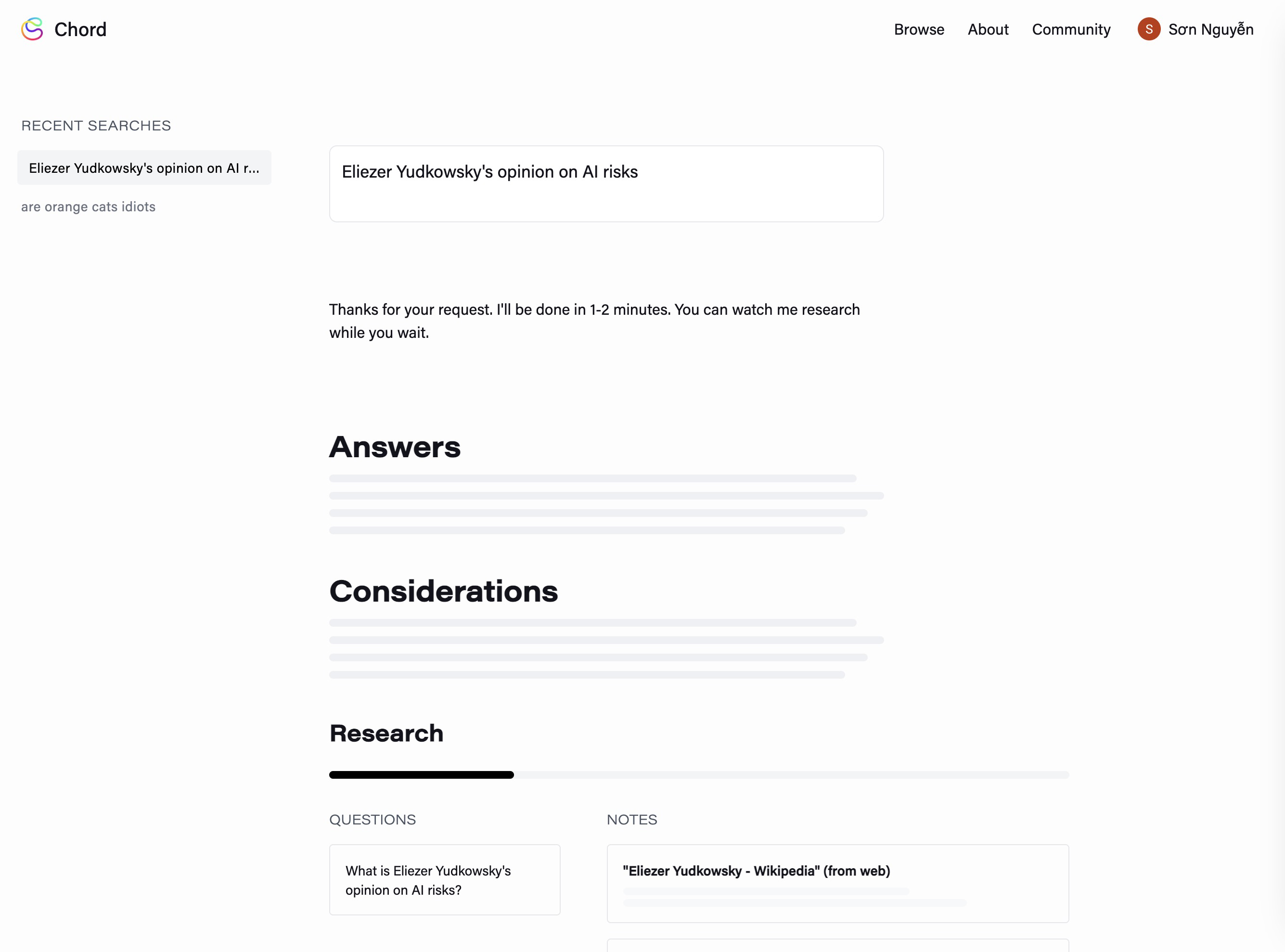
“Thanks for your request. I’ll be done in 1-2 minutes. You can watch me research while you wait.”
- Chord is humanized (instead of “the process will be done in X minutes”, the text says “I”, and “me”). This makes the product feel friendlier and less bland.
- It’s good to know how long you have to wait, rather than just sitting there and wondering “is it done yet?”
The skeleton loading along with the progress bar implies that Chord is working. Without these indicators, users may be wondering whether or not there is some error, that the product has stopped working, or there is some issue with the internet connection.
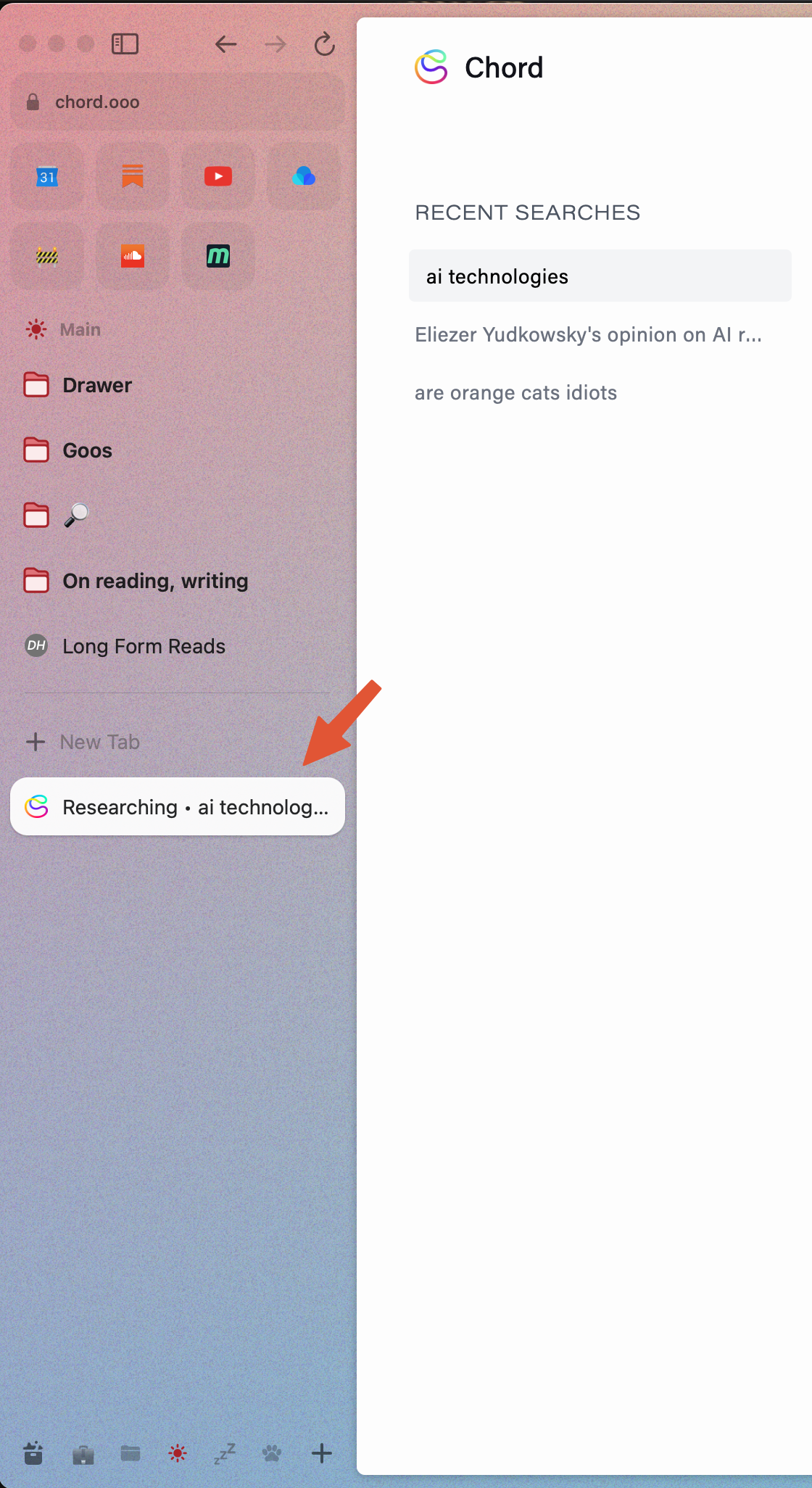
If I was looking at another browser tab, Chord would a “ting” sound when it has done searching. I quite love this detail, it reminds people to come back, as they are likely to do other things while Chord is working.
When Chord is doing its thing, there will be a “Researching” text in the tab. The text will disappear once it’s done. This feature, in addition with the “ting” sound, it’s Chord saying “just go do other things, I’ll tell you when it’s done”. This eases some cognitive load for the user. They can focus on other tasks and don’t have to remind themselves to check back after 1, 2 minutes; or they won’t have to feel a bit impatient or disappointed when they come back but there’s nothing to show.
The search results
An example of the result page for the query “benefits of eating cucumbers”:
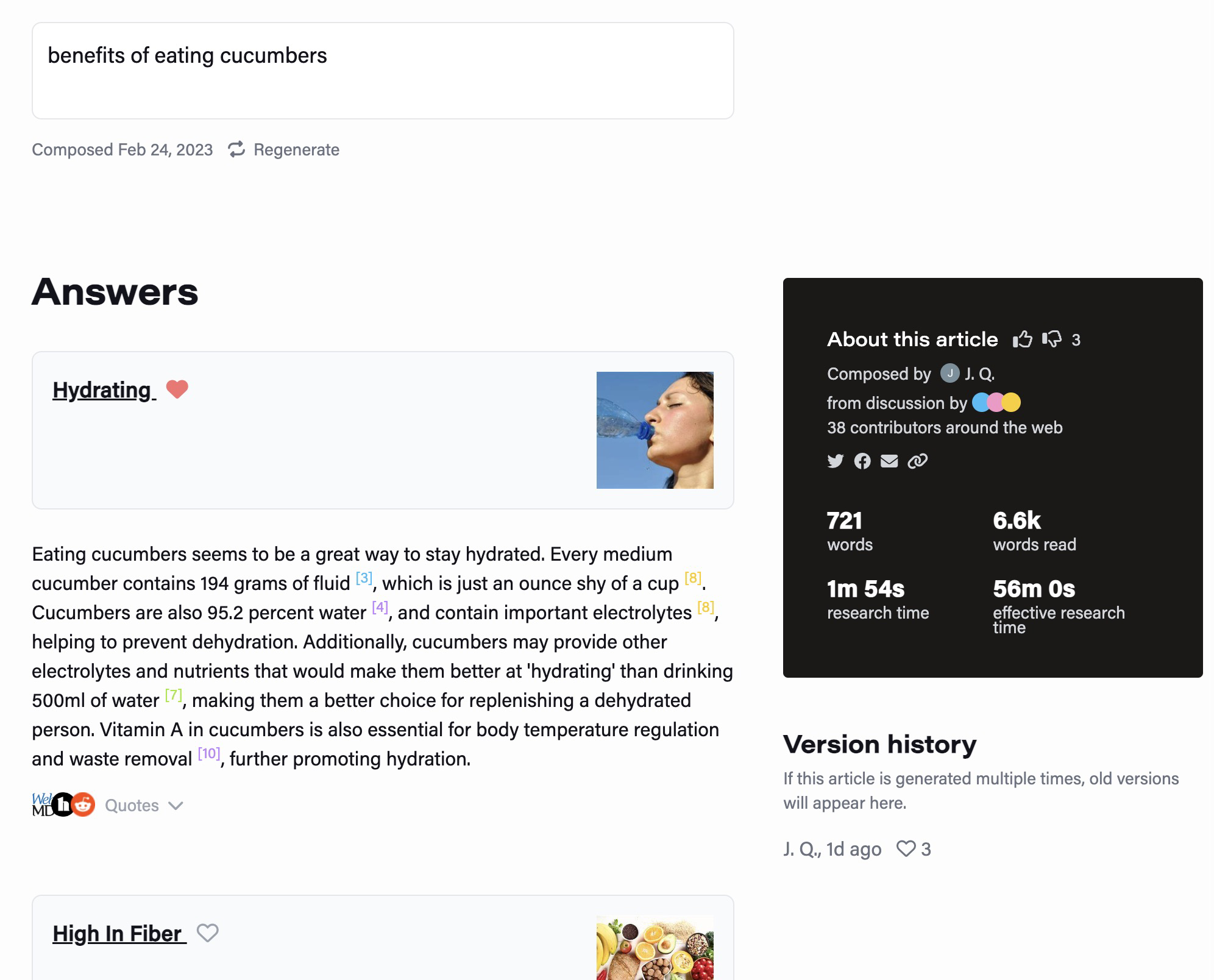
The search result is divided into the following sections:
Answer:
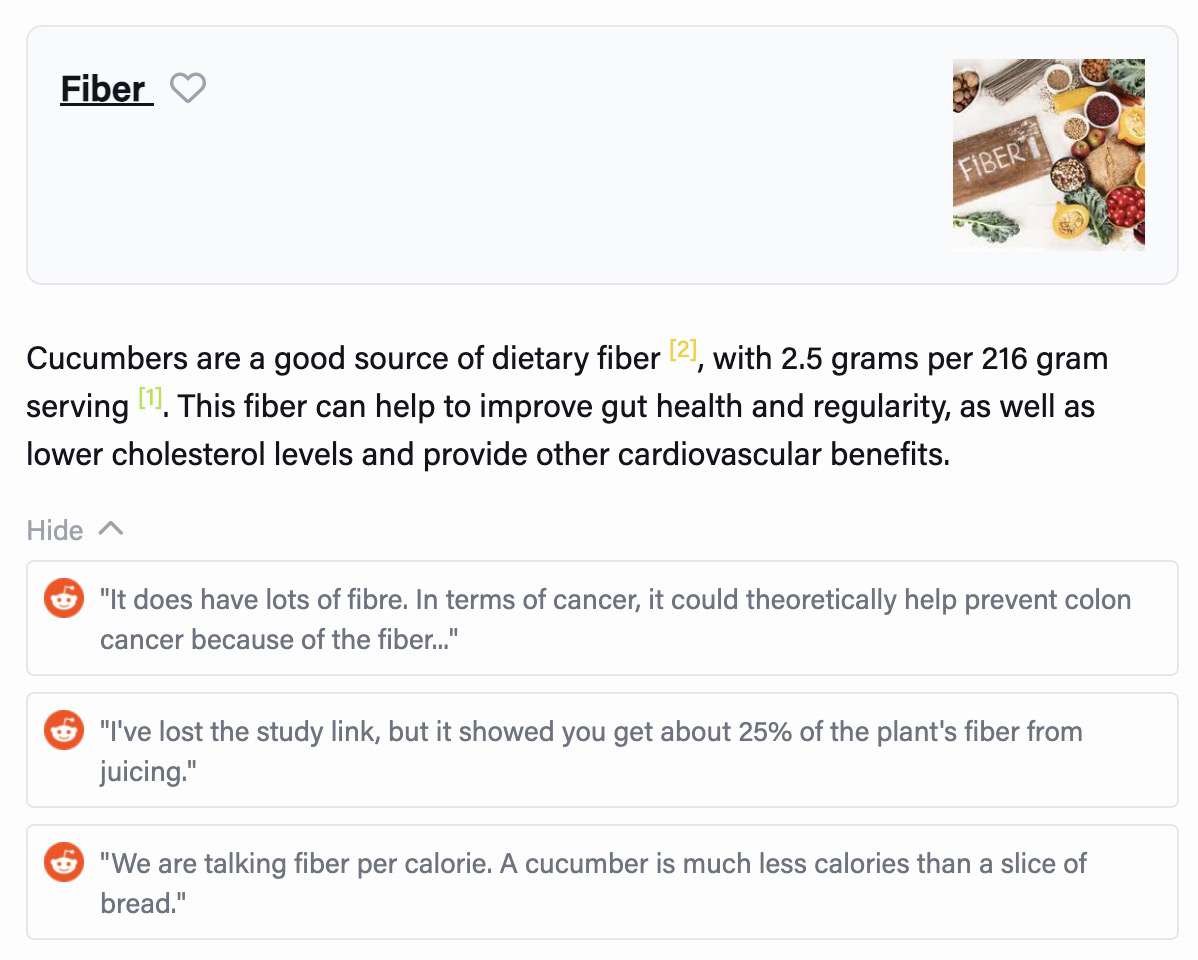
- Chord interprets the sources, generates 5 answers, and links a Google search for each one (clicking “Fiber” will lead you to the Google search result page for that keyword). This allows users to dig deeper and validate the results if they want.
- When using Google, most of the time people don’t open more than 4 or 5 results. I guess this is the reason Chord doesn’t list more than 5 answers.
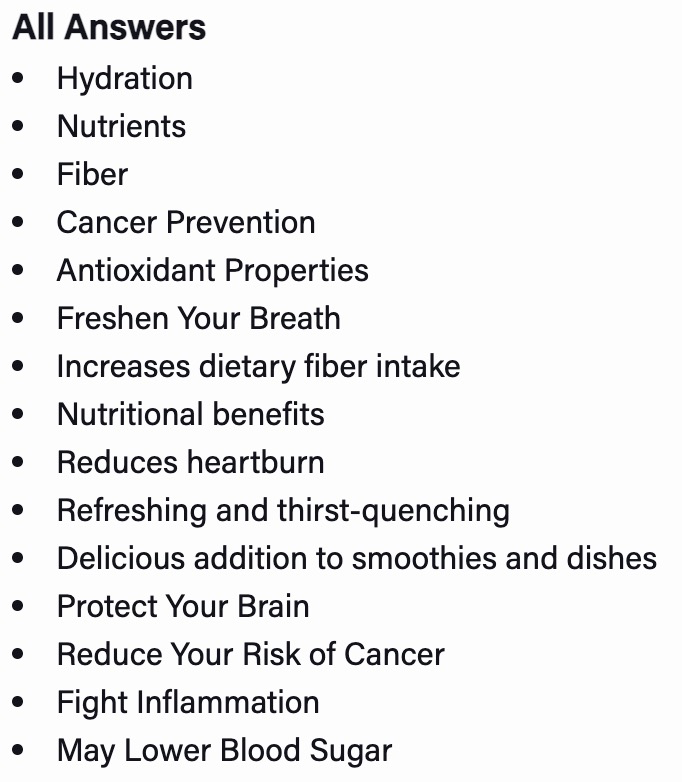
All answers: A list of more than 5 answers, without opinions from Chord. This helps users get a general view with a quick glance
Sources: List of websites Chord used to make its opinions
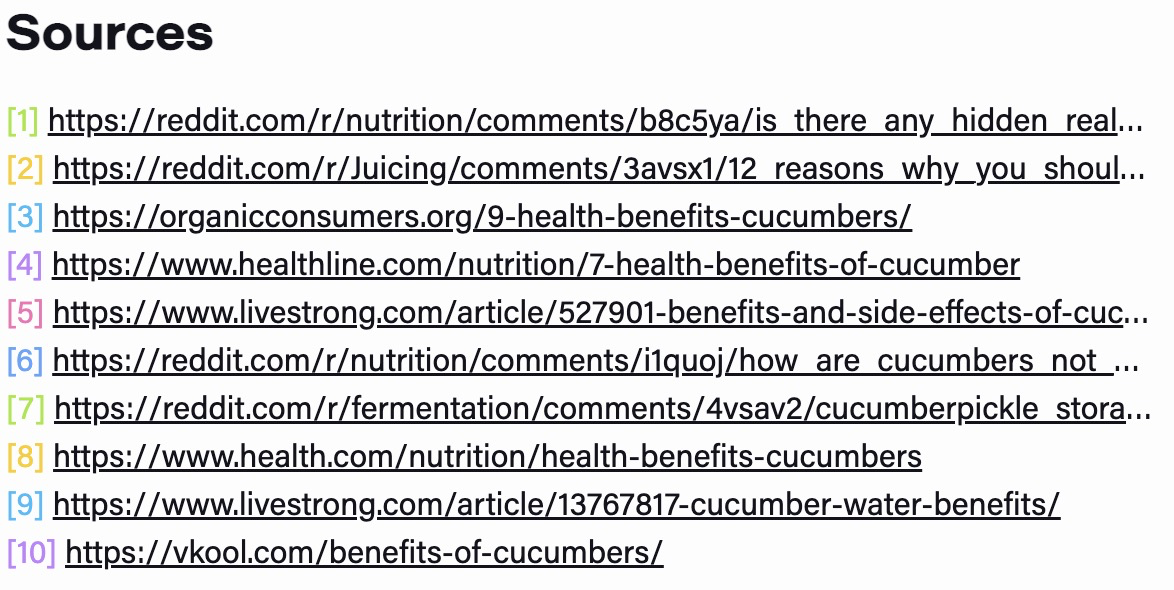
- This provides a way for users to validate the claims made by Chord, as well as dig deeper.
Research:
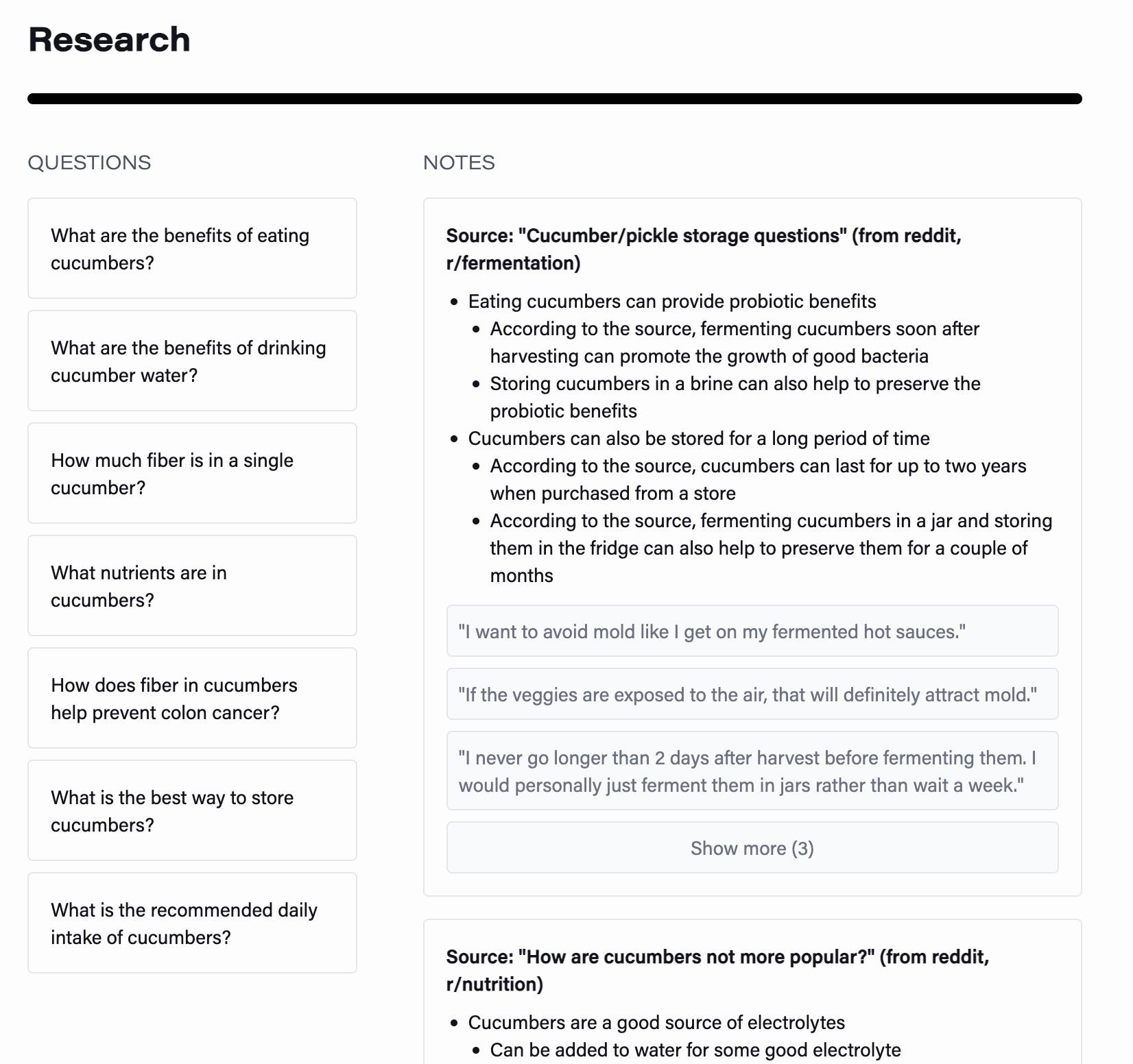
- This is Chord’s research process. As mentioned above, Chord ask questions related to the search queries and tries to answer them (the Notes column lists the sources it thinks would answer the questions).
- This section also helps users validate the claims made by Chord (”did it ask the right questions?”, “what passages did it look at to make those claims?”, etc.). At the same time, the questions can provide inspiration/direction for the users to do further research.
The “article” concept
A search result page is called an article by Chord. I think this is appropriate, as:
Calling them “search result pages” will make people associate Chord with Google or Bing, but a Chord article is more than that
As users can like/dislike the thing, share it, have some kind of ownership of it, etc. users would definitely need a word for it.
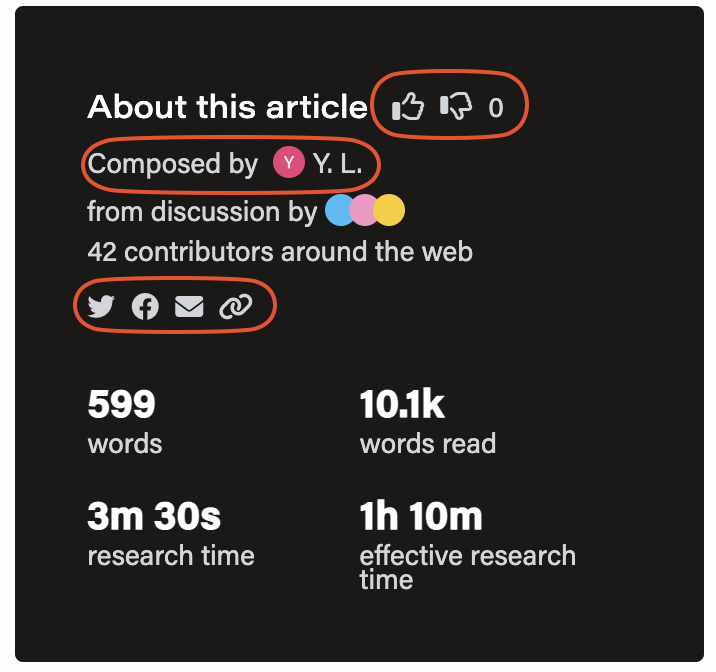
Creating a concept for people to use is better than letting them use different words to call it whatever they want. And “article” is an apt choice. I tried to call those things “posts” but “posts” seems to me like the things people produce on social media, which usually are random, casual, and more “day-to-day life”. To me, “article” is associated with something that is more thoughtful.
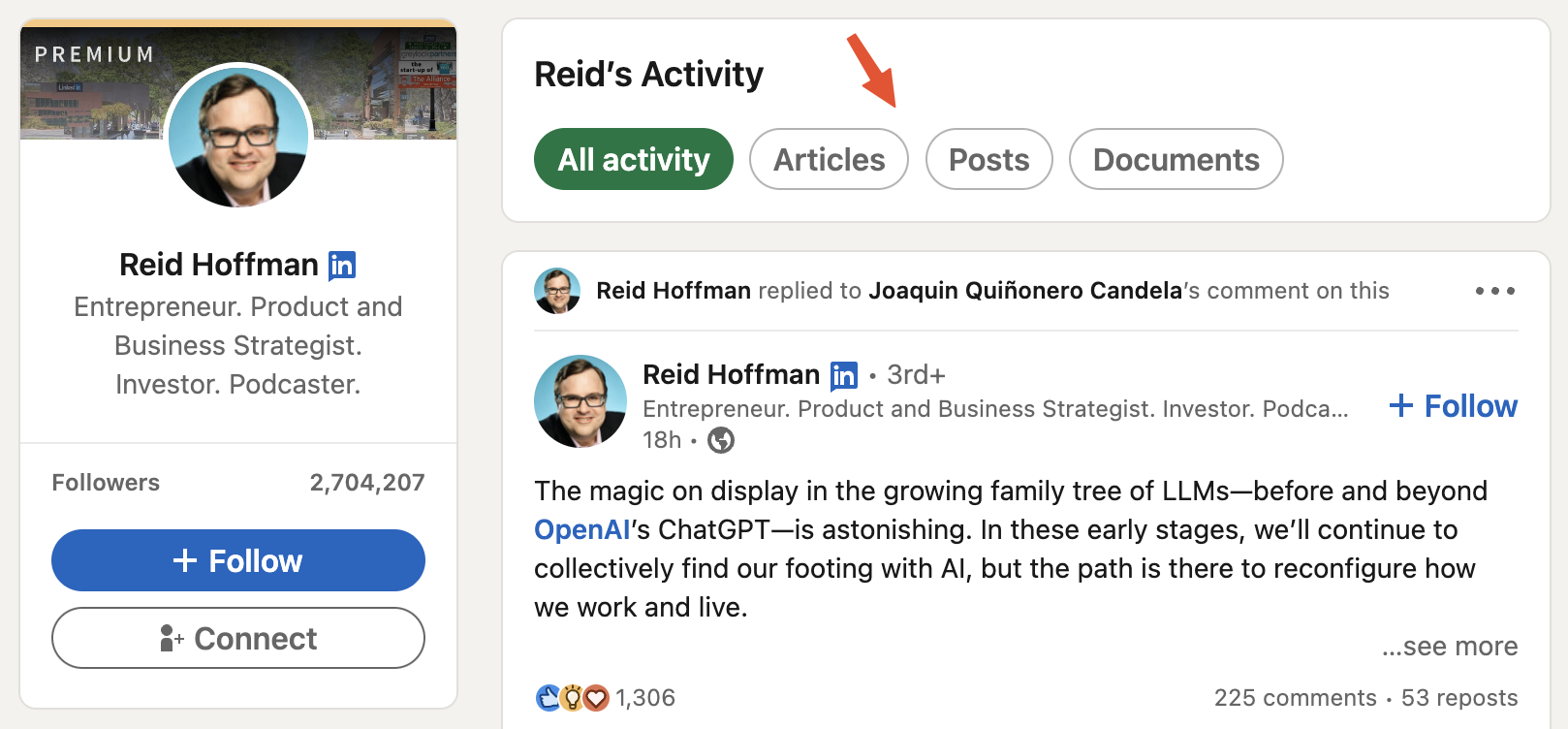
By the way, LinkedIn has “Posts” and “Articles”. The articles are usually longer than posts and are treated as essays rather than simple announcements or short conversations.
As mentioned above, users can upvote/downvote the articles. Along with the leaderboard-like feature (screenshot below), there is an incentive for creating interesting/informative prompts (which would increase user engagement and retention).