Why I made this
If you write on Substack and reference your older posts, the linking flow is bad. You’re mid-sentence, want to link to something you wrote months ago, and now you’re opening a new tab, searching your archive, copying a URL, switching back, pasting.
Doing so is not hard, but it kind of breaks the flow and annoying (the fact that Substack hasn’t already implemented an easy way to link is annoying as well).
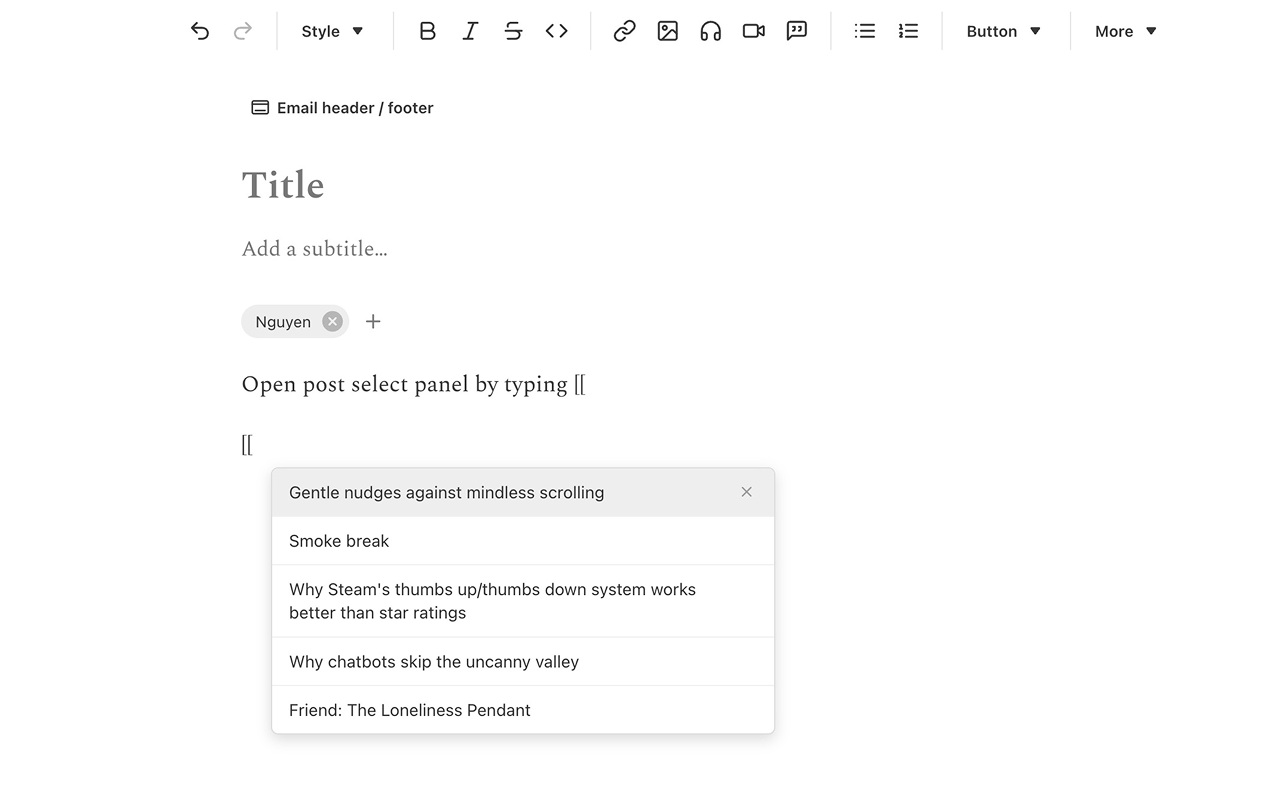
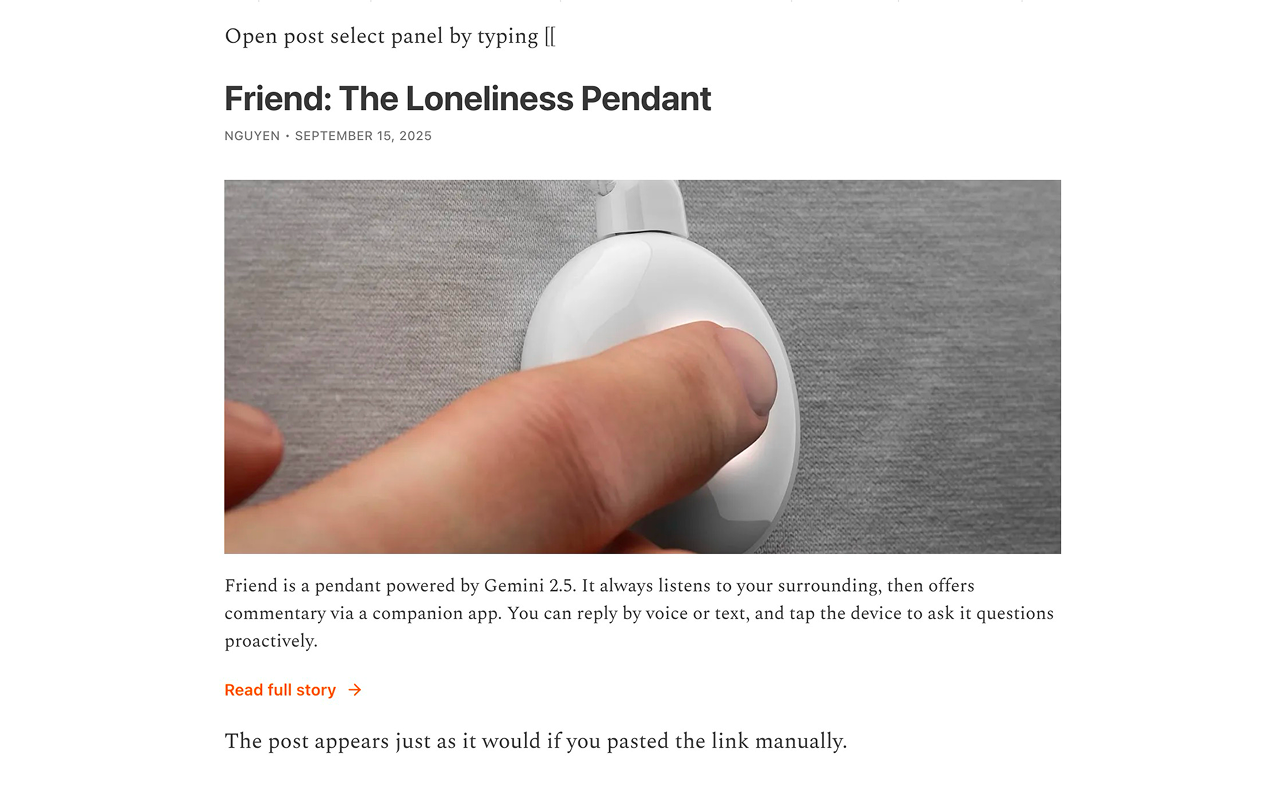
So I built an extension that lets you type “[[“ in the Substack editor, then select an older post from a search panel to insert the link.
Design decisions
I tried to make the extension feel native, like a feature Substack forgot to ship. It looks nicer that way.
About the “[[“ trigger: a toolbar button would be easier to build than that trigger and an inline search panel, but that still means reaching for the mouse. I also borrowed the muscle memory from Obsidian / Roam / Notion, apps that Substack writers probably already use.
Users can search (it shows results as they type), and select using keyboards. No mouse involved!
Development
Data source
For the search panel to work, the extension needs your post titles and URLs. Which means it needs access to your post archive, but the platform doesn’t really want you to have that (at least for now).
Substack’s official API doesn’t expose what I need. I found an undocumented internal API that works. However, “undocumented” means it could break without warning. And I wouldn’t even know when it breaks, because I don’t publish frequently enough to catch it. Pushing a fix through Chrome Web Store review can take days.
So I built a fallback chain:
- Undocumented API: fast, complete, works today
- RSS feed: stable, but doesn’t surface all posts for prolific writers
- Manual CSV upload: Substack lets you export posts — the CSV inside the exported zip file has everything needed
Each layer degrades gracefully. If the API dies tomorrow, the extension still works, just with slightly more user effort.
Performance
Substack’s export comes as a zip. I considered letting users upload the zip directly, but extracting in-browser holds both compressed and decompressed data in RAM simultaneously, which could result in lag on weaker devices. Opted for CSV upload instead: one extra step, but predictable performance.
Parallel fetching
Used it myself, noticed the extension was querying pages via the API sequentially, which made the wait time a bit slower. Switched to parallel.
The stale data decision
Deleted/unpublished posts could linger in the panel. The “correct” fix is re-syncing with the API every time the editor opens, but users may open editors frequently, large archives need multiple paginated queries, and I don’t know where Substack’s rate limit sits. Getting blocked by Substack would be worse than occasionally showing a deleted post. So I gave users a manual remove option instead.